
Text expansion in translation: how much longer will your UI text get?
Translated text is usually longer than English, and short strings grow the most. IBM’s globalization guidelines, cited by the W3C, estimate 200–300% expansion for strings of up to 10 characters, falling to about 130% for text over 70 characters. Design buttons and labels to grow rather than fit English exactly.
Updated · By Mihir Vaghani, founder of The Plugins Company
Expansion by English string length
The shorter the English source, the larger the relative growth, because a single long word in the target language can double a two-word label. These are averages from IBM’s guidelines as published by the W3C.
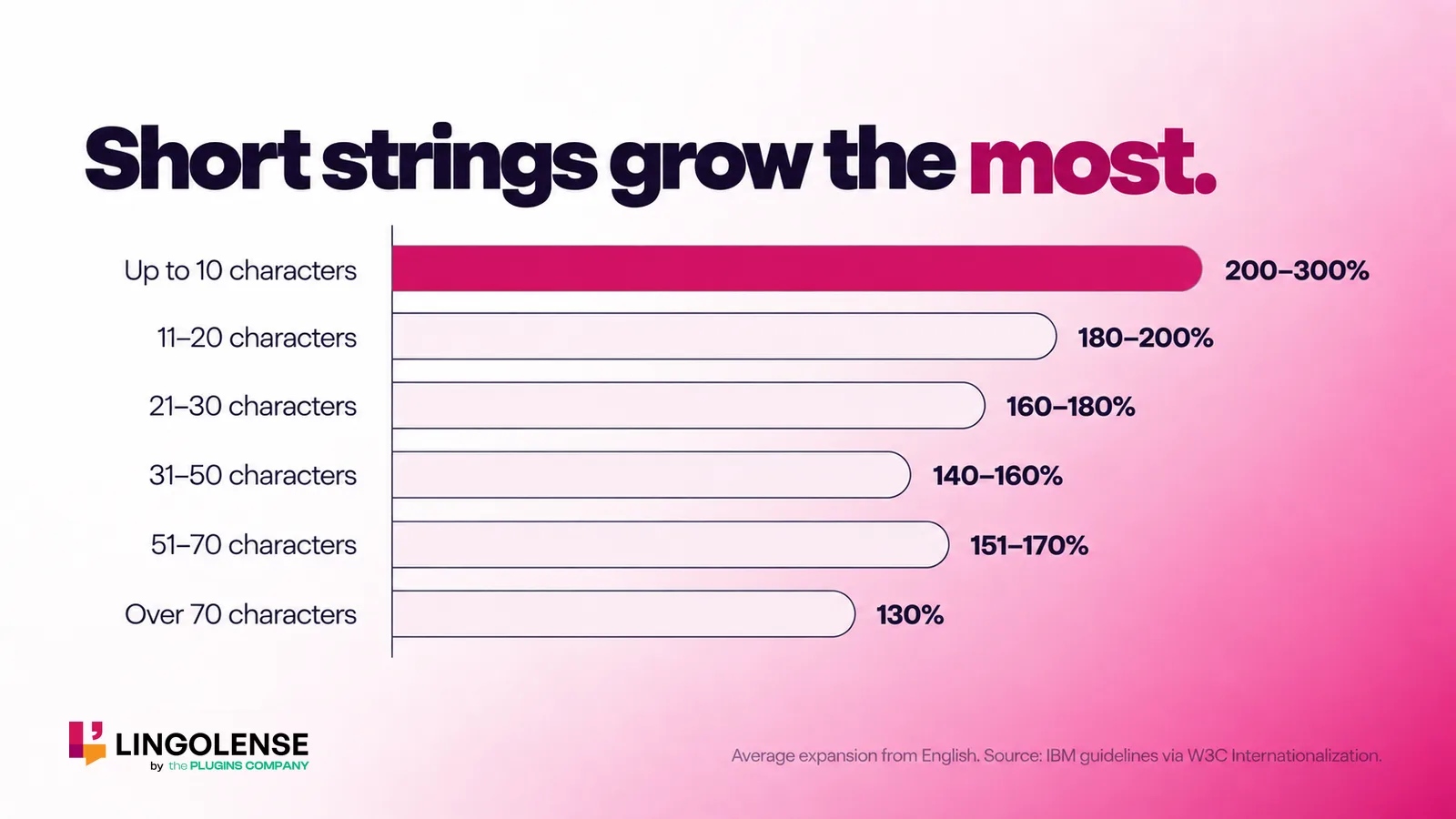
| English source length | Average expansion |
|---|---|
| Up to 10 characters | 200–300% |
| 11–20 characters | 180–200% |
| 21–30 characters | 160–180% |
| 31–50 characters | 140–160% |
| 51–70 characters | 151–170% |
| Over 70 characters | 130% |
Which languages grow and which shrink
The W3C shows how much a single short word can vary: the label “views” on Flickr took 2.8 times as much space in German, 3 times in Italian and 2.6 times in French and Portuguese, but 0.8 times in Korean. Chinese, Japanese and Korean often use fewer characters, though each character can need more height and width.
| Language | Ratio to English |
|---|---|
| Korean | 0.8 |
| Chinese | 1.2 |
| French | 2.6 |
| Portuguese | 2.6 |
| German | 2.8 |
| Italian | 3.0 |
How to design UI that survives text expansion
The W3C’s advice is to let text reflow and to avoid small fixed-width containers. In Figma that translates to:
- Use Auto Layout with hug or fill sizing instead of fixed widths
- Give buttons, tabs and badges room to grow horizontally or wrap
- Avoid abbreviating labels just to make English fit
- Test with the longest target language before handoff
- Check every translated layer for overflow, not just the hero screen
Catching overflow automatically
Checking every screen in every language by eye does not scale. Lingolense flags each translated layer that no longer fits its container, using per-language length budgets, and lets you jump straight to the layer to fix it.
Frequently asked questions
How much longer is German than English?
It depends on the string. Long sentences grow modestly, but short labels can more than double, as in the W3C’s example where “views” needed 2.8 times the space in German.
Does translated text ever get shorter?
Yes. Chinese, Japanese and Korean often need fewer characters than English, although each character may need more space, so check height and line breaks as well as width.
How much space should I leave for translation?
Plan for short strings to double or triple and for long text to grow by around a third, and prefer layouts that grow over fixed-width boxes.
Catch overflow before handoff
Lingolense flags every layer that outgrows its box after translation.